This guide is to outline where the Q-code can be found in Blackcore Systems.
A read-out of the Q-code might be requested from a member of the technical support team to help diagnose a system in the field.
Important! There are no Qcode display on the ICON-3100-RL+ or the ACE-3100-RZ/RZX
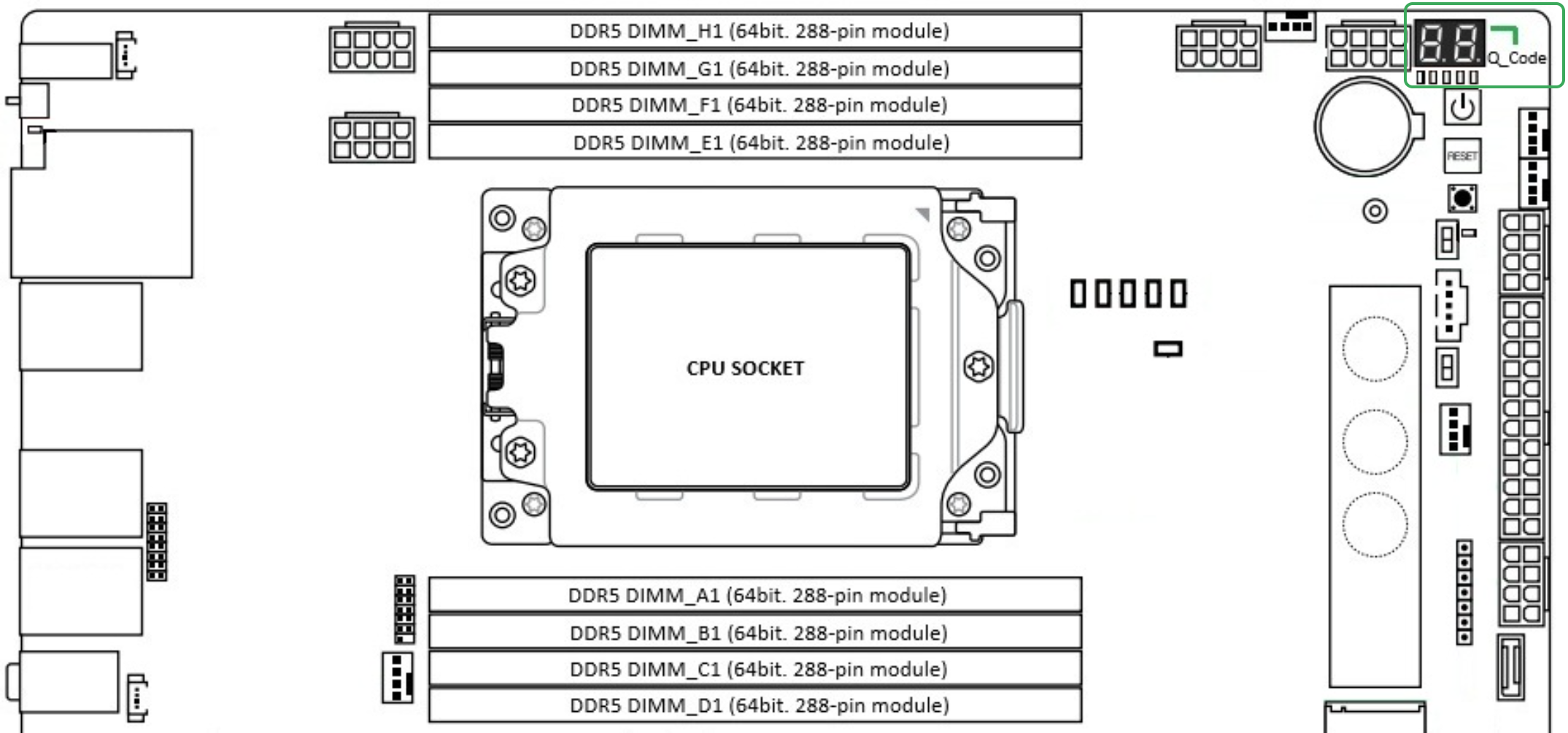
To check the system's Q-code, please remove the lid and locate it in the top-right corner of the motherboard.
This Guide Covers the following Systems
      SPR-M
      SPR-X
ICON:
      3100-SM+
      3100-SX+
      3100-GM
ACE:
      3100-TX
      3100-TS+
      3100-TX+
TABLE OF CONTENTS
ICON
3100-SM+ / SX+
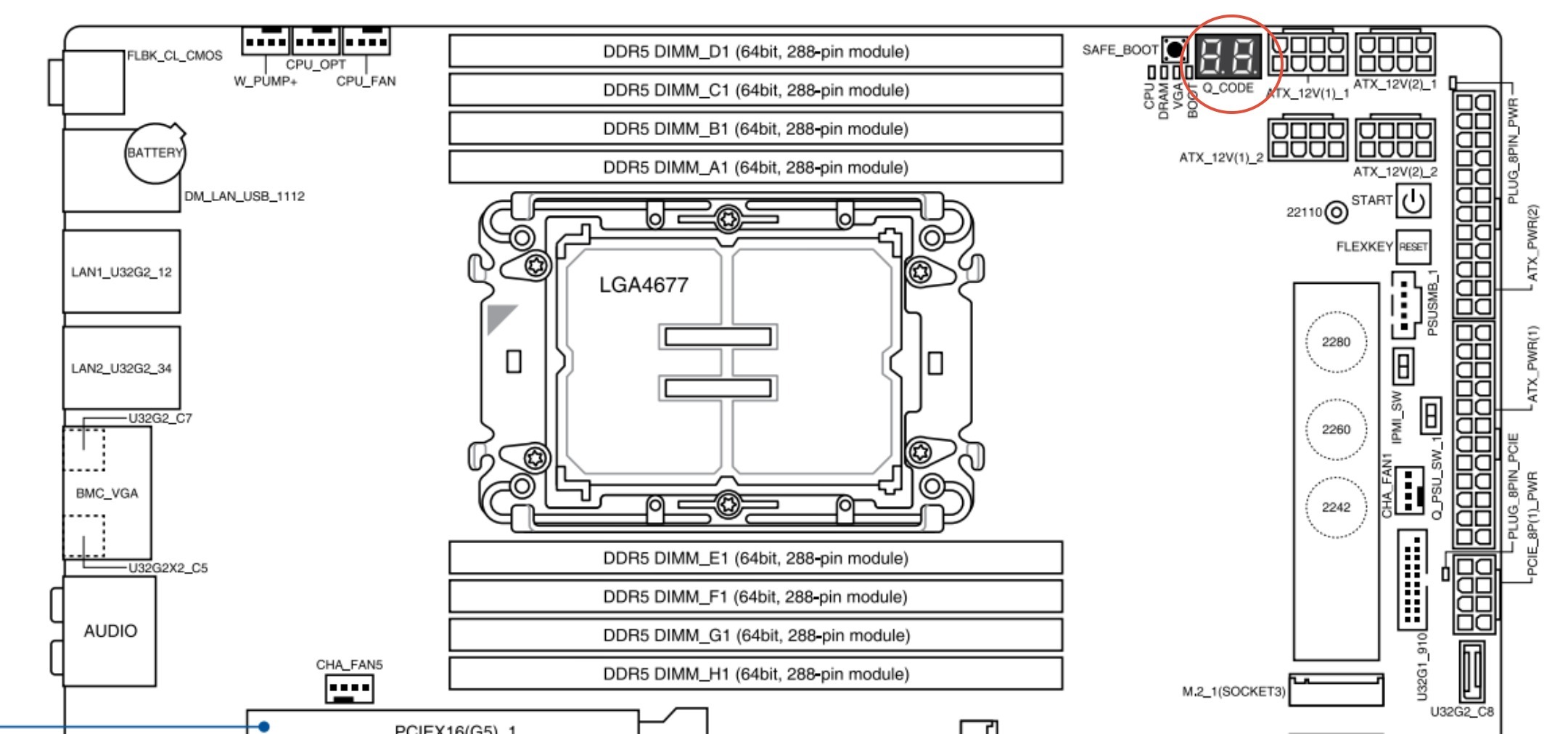
The motherboards for the SPR-M and SPR-X are the same as SM+ and SX+
3100-GM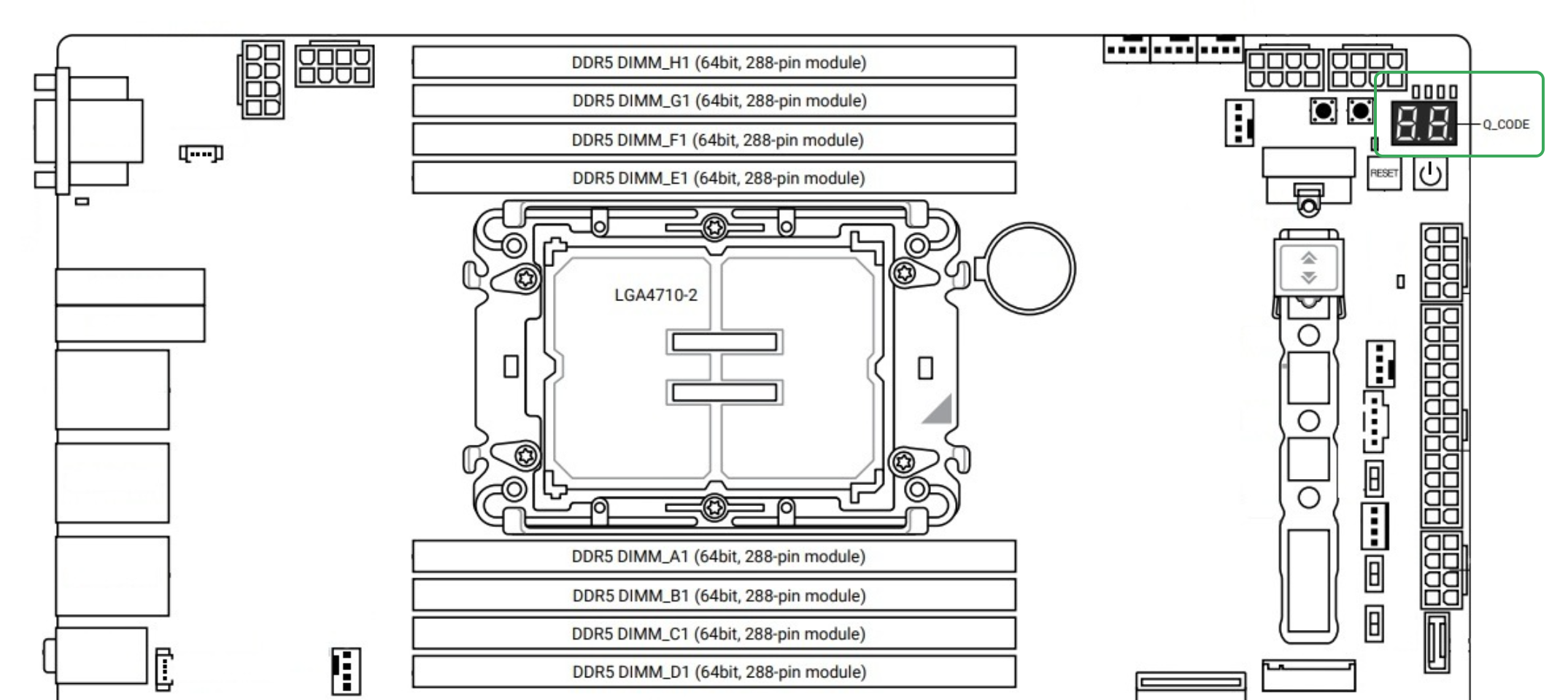
ACE
3100-TX / TX+ / TS+
Was this article helpful?
That’s Great!
Thank you for your feedback
Sorry! We couldn't be helpful
Thank you for your feedback
Feedback sent
We appreciate your effort and will try to fix the article