This guide applies to: SPR-M SPR-X 3100-SM+ 3100-SX+
URI:
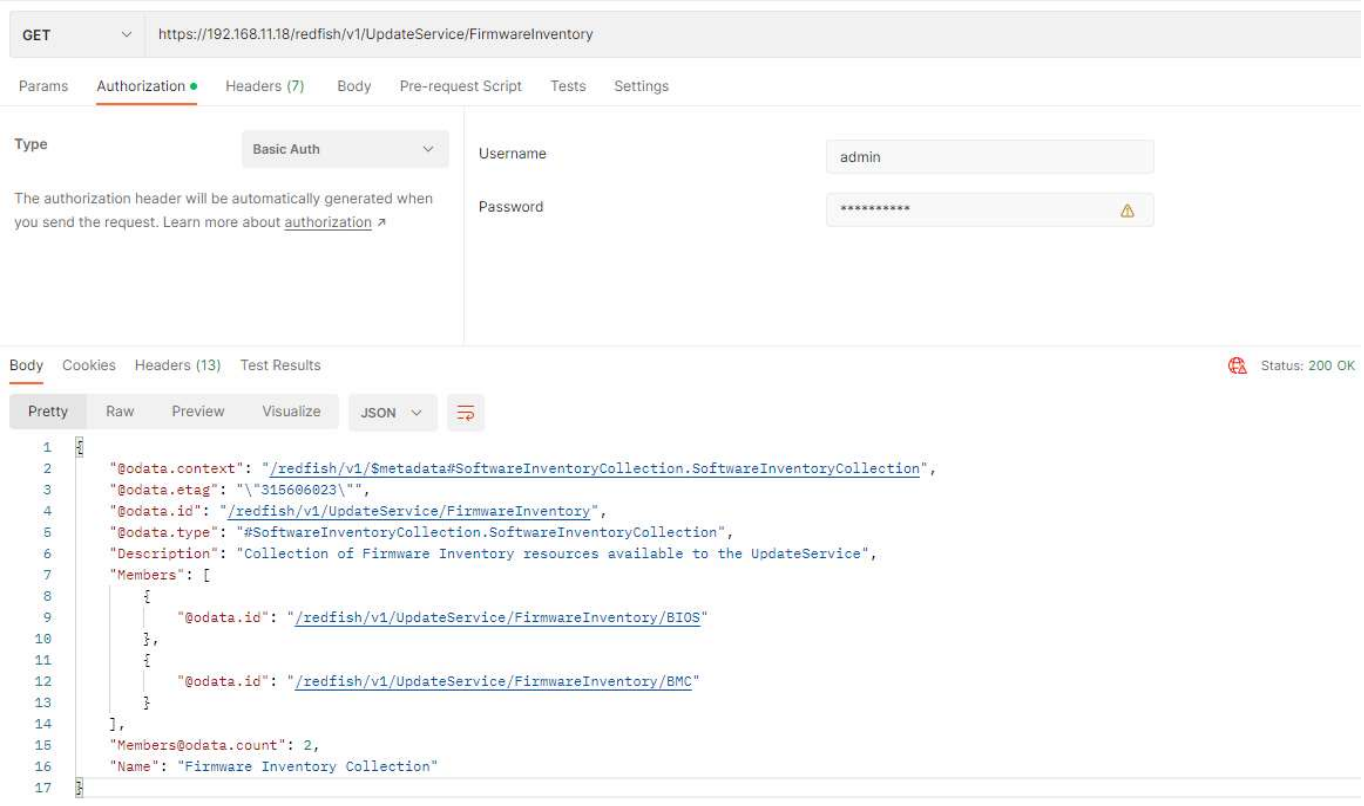
Get Valid parameter:
redfish/v1/UpdateService/FirmwareInventory
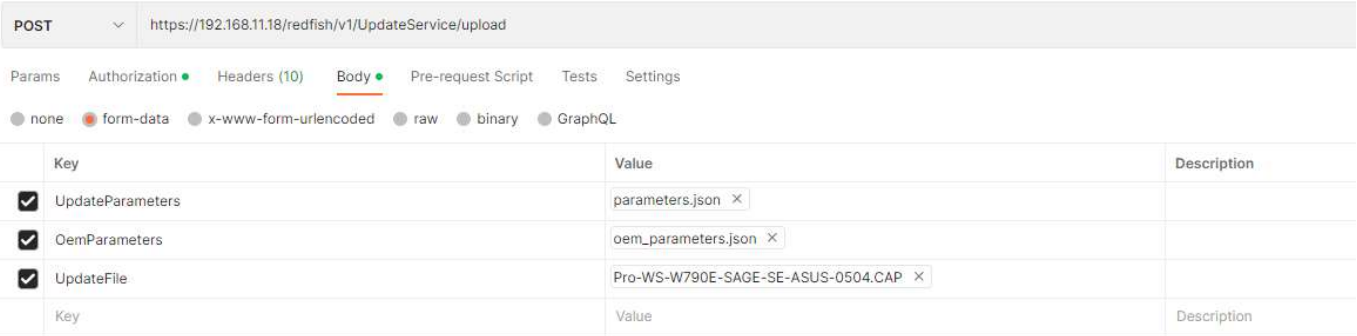
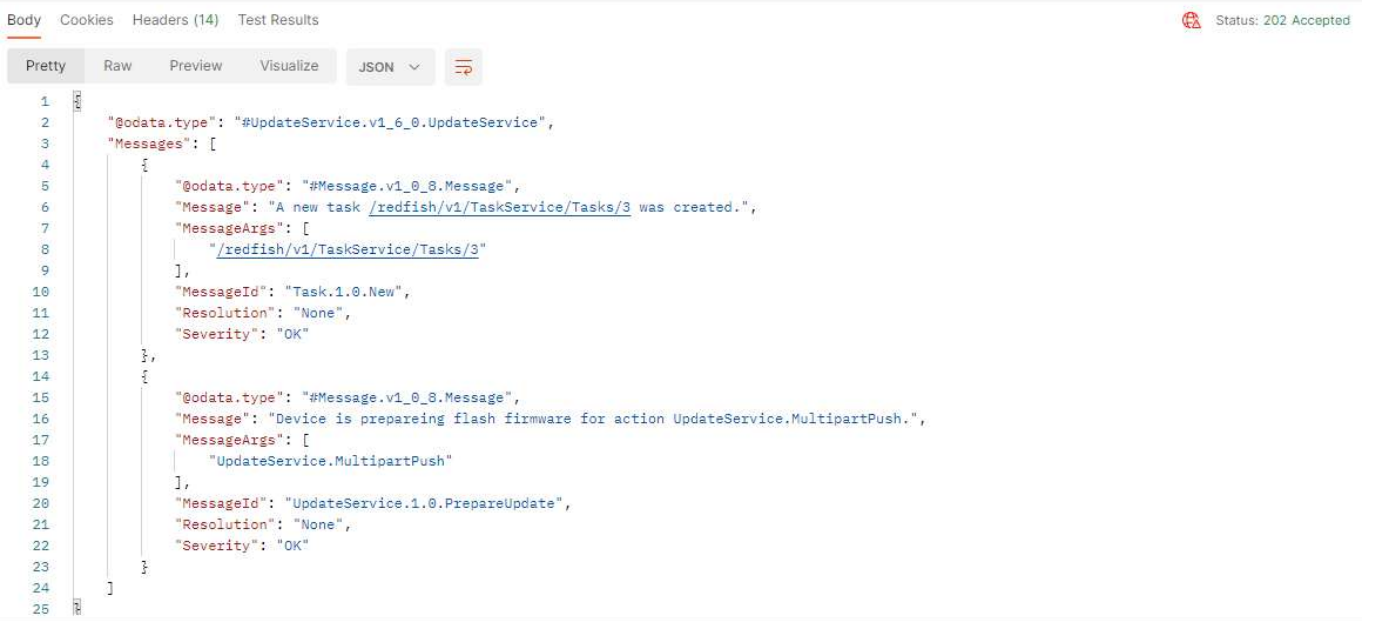
Trigger to flash:
redfish/v1/UpdateService/upload
Contents of parameters - BIOS:
UpdateParameters: [parameters.json]
{
"Targets":["/redfish/v1/UpdateService/FirmwareInventory/BIOS"]
}
OemParameters: [oem_parameters.json]
{
"ImageType":"BIOS"
}
UpdateFile: [BIOS_File.cap]
Please select your BIOS image.
Contents of parameters - BMC:
UpdateParameters: [parameters.json]
{
"Targets":["/redfish/v1/UpdateService/FirmwareInventory/BMC"]
}
OemParameters: [oem_parameters.json]
{
"ImageType":"BMC"
}
UpdateFile: [BMC_File.ima]
Please select your BMC image.


Was this article helpful?
That’s Great!
Thank you for your feedback
Sorry! We couldn't be helpful
Thank you for your feedback
Feedback sent
We appreciate your effort and will try to fix the article